
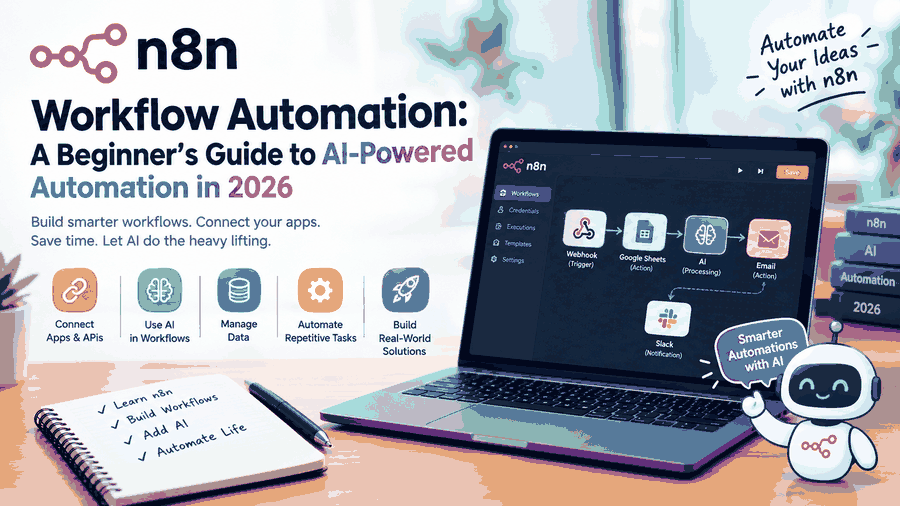
Introduction: Why n8n Is Changing the Way We Work
In 2026, automation is no longer limited to large companies or experienced programmers. Individuals, students, startups, and businesses can now automate repetitive tasks using powerful workflow automation platforms.
One technology gaining attention in this space is n8n, a flexible workflow automation platform that connects applications, APIs, databases, and artificial intelligence tools.
I recently started learning n8n, and exploring its capabilities has helped me understand how automation can simplify everyday digital tasks.
In this article, we'll explore what n8n is, how it works, its important features, practical applications, and how beginners can start building AI-powered workflows.
Businesses exploring AI automation solutions can use workflow automation to simplify repetitive tasks, improve efficiency, and connect different digital systems.
1. What Is n8n Workflow Automation?
n8n (pronounced "n-eight-n") is a workflow automation platform that allows users to connect multiple applications and services through a visual editor.
Instead of manually transferring information between applications, users can create automated workflows that perform these tasks.
For example, a business receiving customer inquiries through an online form can automatically:
Capture customer information.
Save the information to Google Sheets.
Send an email notification.
Update a customer relationship management (CRM) system.
Generate an AI-powered summary.
These actions can be connected into a single workflow.
How Does n8n Work?
n8n uses nodes, which are individual components responsible for performing specific tasks.
A typical workflow consists of three main elements:
Trigger: Starts the workflow when an event occurs.
Action: Performs a task, such as sending an email or updating a database.
Logic: Controls decisions, filters information, and determines what happens next.
For example:
Form Submission → Webhook Trigger → Process Data → Google Sheets → Email Notification
This workflow can run automatically whenever a new form submission is received.
2. Key Features of n8n
n8n provides several features that make it useful for beginners and experienced developers.
Visual Workflow Builder
n8n offers a visual interface where users can connect nodes to design workflows.
This makes it easier to understand complex processes without writing an entire application from scratch.
Application and API Integrations
n8n supports integrations with popular services such as Google Sheets, Gmail, Slack, Telegram, databases, and many other platforms.
Its HTTP Request node also allows users to communicate with APIs that do not have dedicated integrations. Businesses can also explore custom software development to understand how tailored digital applications can support their specific operational requirements.
AI-Powered Automation
One of n8n's most interesting capabilities is its support for artificial intelligence workflows.
Users can integrate compatible AI models and services to create systems that summarize information, classify messages, answer questions, and assist with business processes.
Self-Hosting Options
n8n offers cloud-hosted and self-hosted deployment options.
Self-hosting gives technically experienced users more control over their infrastructure and workflow environment, although it also requires responsibility for maintenance, updates, and security.
Custom JavaScript and Python
For workflows requiring additional flexibility, n8n supports custom code in its Code node.
This allows developers to process data and implement logic beyond basic visual automation.
3. How AI and n8n Work Together
Artificial intelligence becomes particularly useful when combined with workflow automation.
Traditional automation follows predefined rules, while AI-powered workflows can also interpret text, classify information, and generate responses.
Example: AI-Powered Email Assistant
Consider an automated email assistant built with n8n.
The workflow could follow these steps:
Gmail receives a new email.
n8n retrieves the message.
An AI model analyzes the email.
The model identifies its category and priority.
n8n prepares a suggested response.
The draft is saved for human review.
This approach can reduce repetitive work while keeping a person involved in important communications.
Example: AI Customer Support Assistant
A customer support workflow can receive questions, retrieve relevant knowledge-base information, and generate suggested answers.
For sensitive requests or uncertain answers, the workflow can transfer the conversation to a human support representative.
As AI-powered workflows become more common, businesses can explore Dverto AI's technology solutions to learn how AI and digital technologies can support business operations
4. Real-World Applications of n8n
n8n can support a wide range of automation use cases.
Business Process Automation
Businesses can automate customer onboarding, lead collection, reporting, internal notifications, and routine data transfers.
Marketing Automation
Marketing teams can use n8n to organize campaign data, prepare content drafts, track leads, and connect analytics platforms.
Educational Automation
Students and educators can experiment with automated study reminders, assignment tracking, AI-generated practice questions, and learning dashboards.
Data Management
n8n can collect information from APIs, transform it into structured data, and send it to spreadsheets or databases.
AI Agent Workflows
Advanced users can build AI agent workflows that use approved tools, retrieve information, and complete defined tasks.
These systems require careful testing, permission management, and human oversight when handling sensitive data or consequential actions.
5. How to Start Learning n8n as a Beginner
Getting started with n8n does not require expert-level programming knowledge.
However, understanding basic concepts such as APIs, JSON, and webhooks can make learning easier.
Step 1: Explore the n8n Platform
Visit the official n8n website and explore the available deployment options.
Beginners can start with a suitable hosted environment, while technically experienced users may prefer self-hosting.
Step 2: Understand Nodes and Triggers
Learn how trigger nodes start workflows and how action nodes process information.
Experiment with simple workflows before adding complex integrations.
Step 3: Build Your First Workflow
Create a workflow that receives information
Related Blogs
More in AI
No related blogs found in this category yet.